Crée un avatar IA ultra-réaliste avec son avatar board
Un personnage crédible, le même visage à chaque image, et un avatar board qui verrouille l'identité. Avec ChatGPT + GPT Image 2, sans studio et sans retouche manuelle.
- Portrait réaliste
- Prompts prêts à coller
- Avatar board de cohérence
- Orienté contenu
Produire avec l'IA, sans perdre la cohérence
Un avatar en quelques minutes
Sans agence ni retouche manuelle
Le même visage à chaque fois
Base prête pour TikTok, Reels & Shorts
Portrait ultra-réaliste
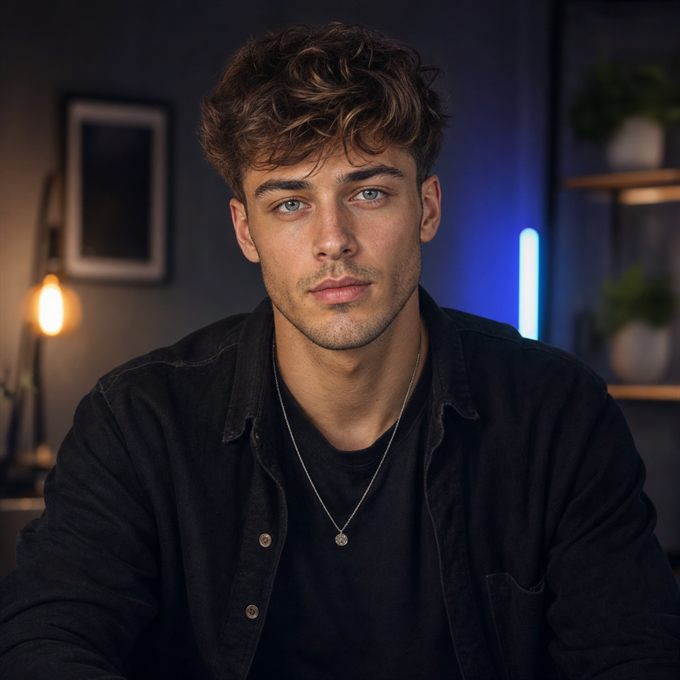
Quatre personnages, le même niveau de réalisme. On part du jeune homme : c'est lui qui sert de base au prompt juste en dessous.
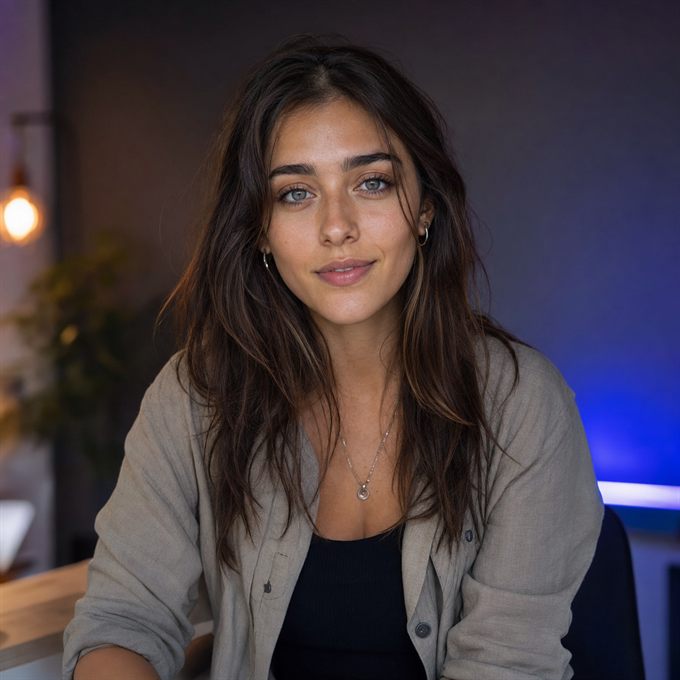
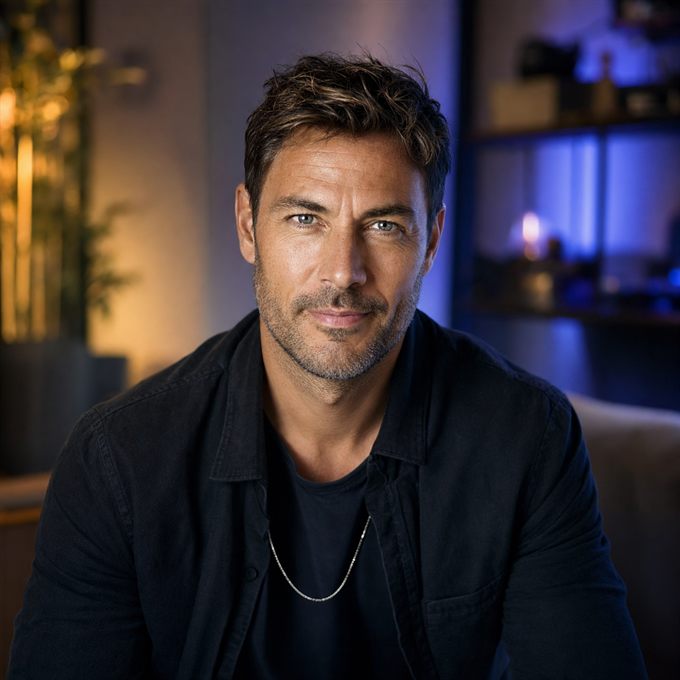
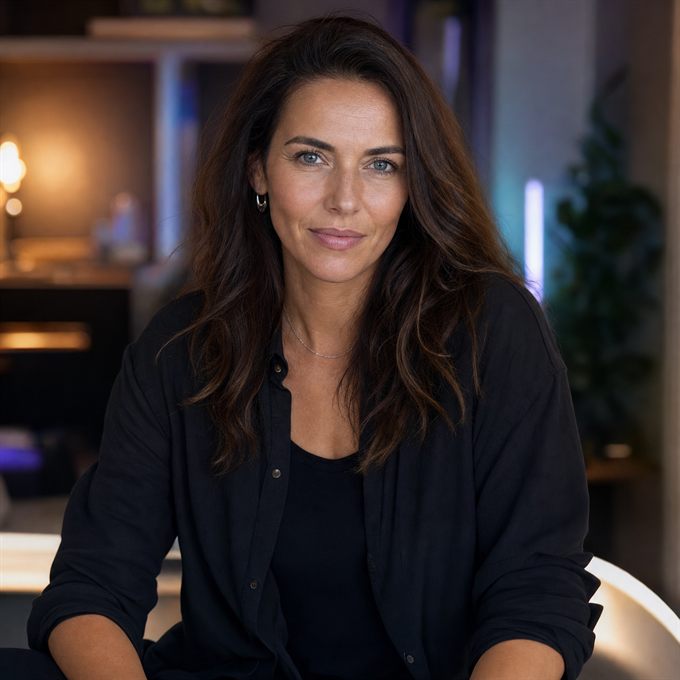
Le prompt qui génère ce portrait Calé sur le jeune homme. Adapte l'âge, le style et le décor pour obtenir tes autres personnages.
Create an ultra-realistic original male avatar for a creative AI content brand. The character is a young man around 24 years old. He must look like a real modern content creator, not like a fake AI model, not like a stock photo, and not like a celebrity. He should feel like a real young creator, digital native, and creative entrepreneur. He has a current, stylish, youthful look:
- male, around 24 years old
- attractive but natural face
- expressive dark grey-blue eyes
- short to medium dark brown hair, textured and slightly messy
- a few very subtle blonde highlights in the hair
- light stubble or very subtle facial hair
- natural skin texture with pores and slight imperfections
- youthful, calm, confident expression
- approachable, creative, modern vibe

Style and clothing:
- trendy young modern street-casual style
- clean black, charcoal, beige, or muted neutral outfit
- fitted t-shirt, open overshirt, or minimal casual button-up
- contemporary Gen Z / young creator aesthetic
- stylish, relaxed, effortless appearance
- subtle jewelry such as a thin silver chain or ring
- fashionable but natural, not overdone
- no formalwear, no business look, no exaggerated rockstar styling

Visual style:
- ultra realistic
- high-end cinematic portrait
- looks like a real person shot on a Sony A7 IV
- 50mm or 85mm portrait lens look
- realistic depth of field
- premium YouTuber / creator aesthetic
- natural but polished lighting
- crisp eyes, sharp facial detail
- realistic skin, realistic shadows
- no CGI feel, no plastic skin, no over-beautified look

Setting:
- premium creative studio or softly blurred modern interior
- elegant, minimal atmosphere
- subtle warm lights
- discreet blue or violet accent light in the background
- clean and modern environment
- background slightly blurred so the face stands out
- no readable text, no logo, no clutter

Framing:
- medium close-up portrait
- chest-up or waist-up
- looking directly at camera
- centered or slightly cinematic composition
- ideal as a social media avatar / brand identity portrait

Important: This must be an original character, not resembling any real celebrity or public figure. Avoid looking like a fashion model, corporate businessman, generic influencer, or artificial plastic AI face. The result must feel young, human, believable, premium, and memorable.
Génération de l'avatar board
À partir du portrait validé, on construit la fiche d'identité du personnage : angles, expressions, détails, tenue, lumière et palette. C'est elle qui verrouille le visage.
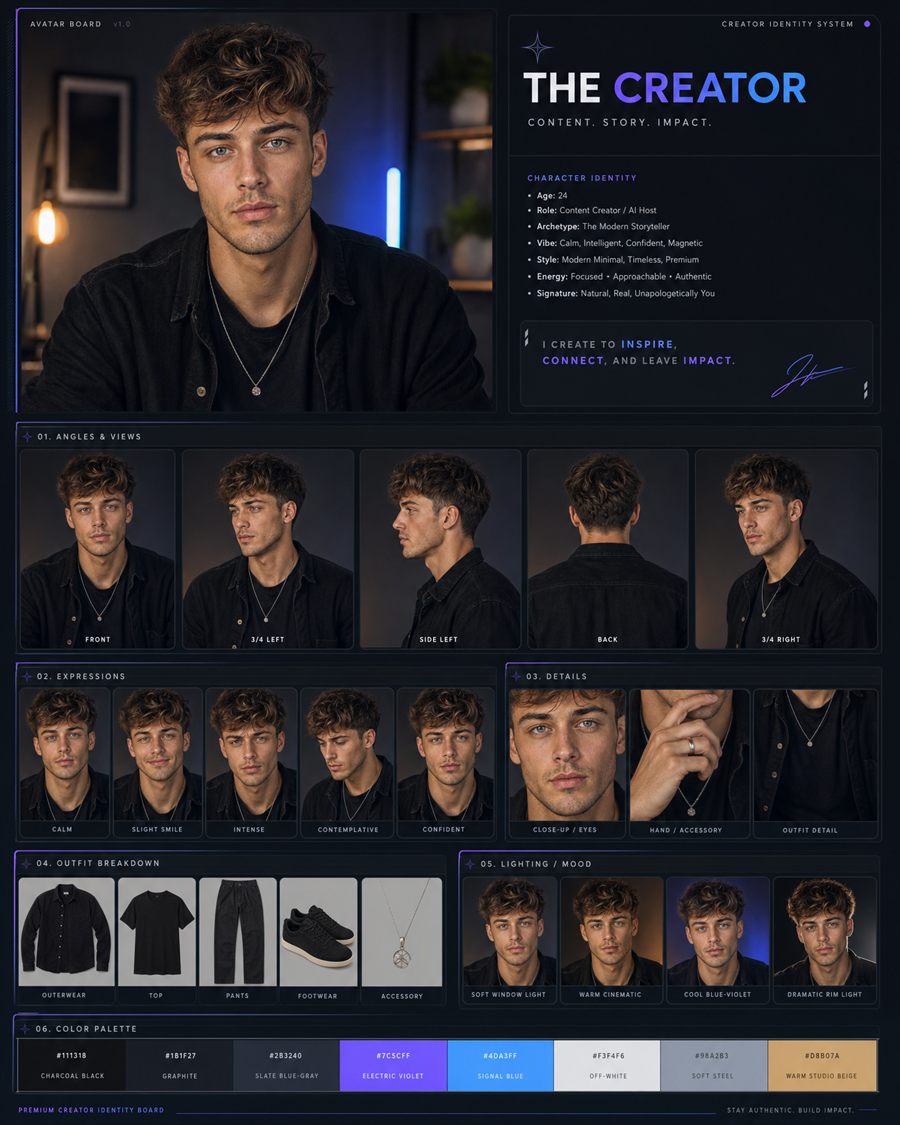
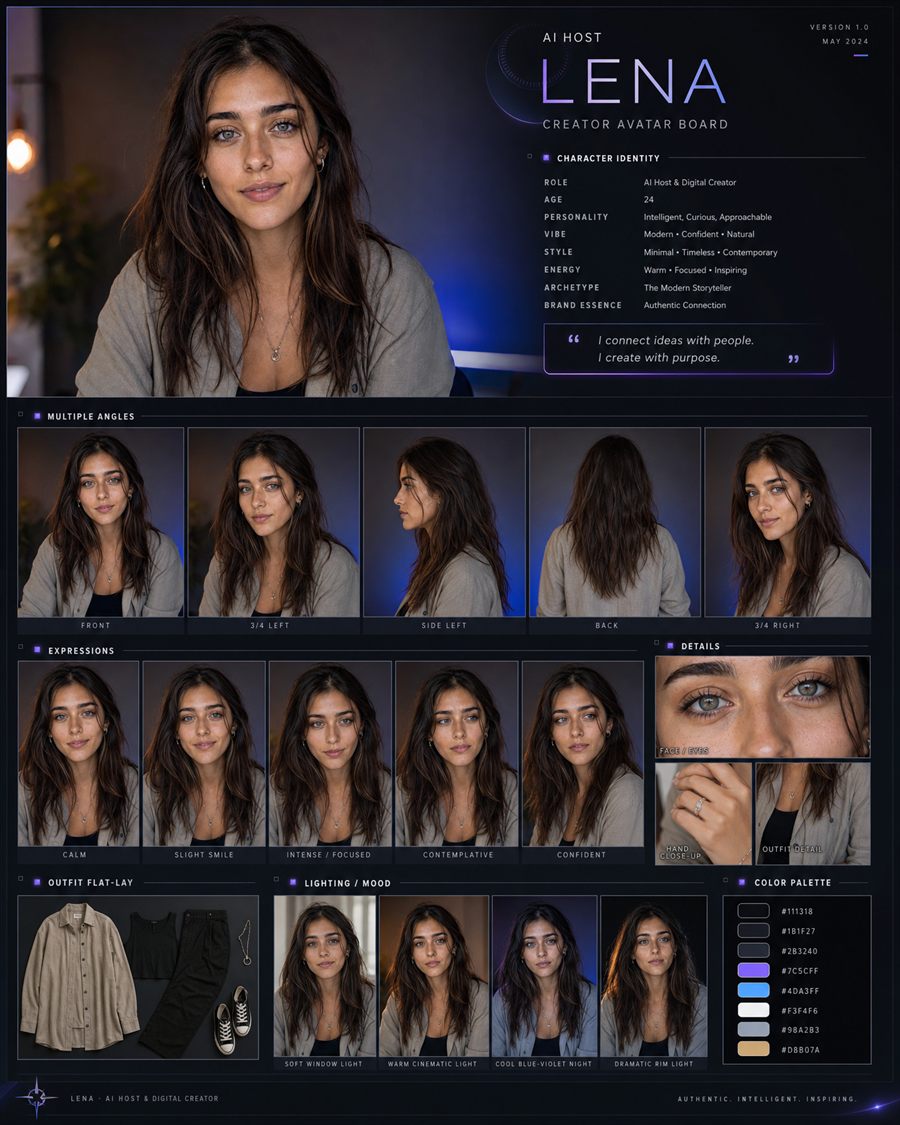
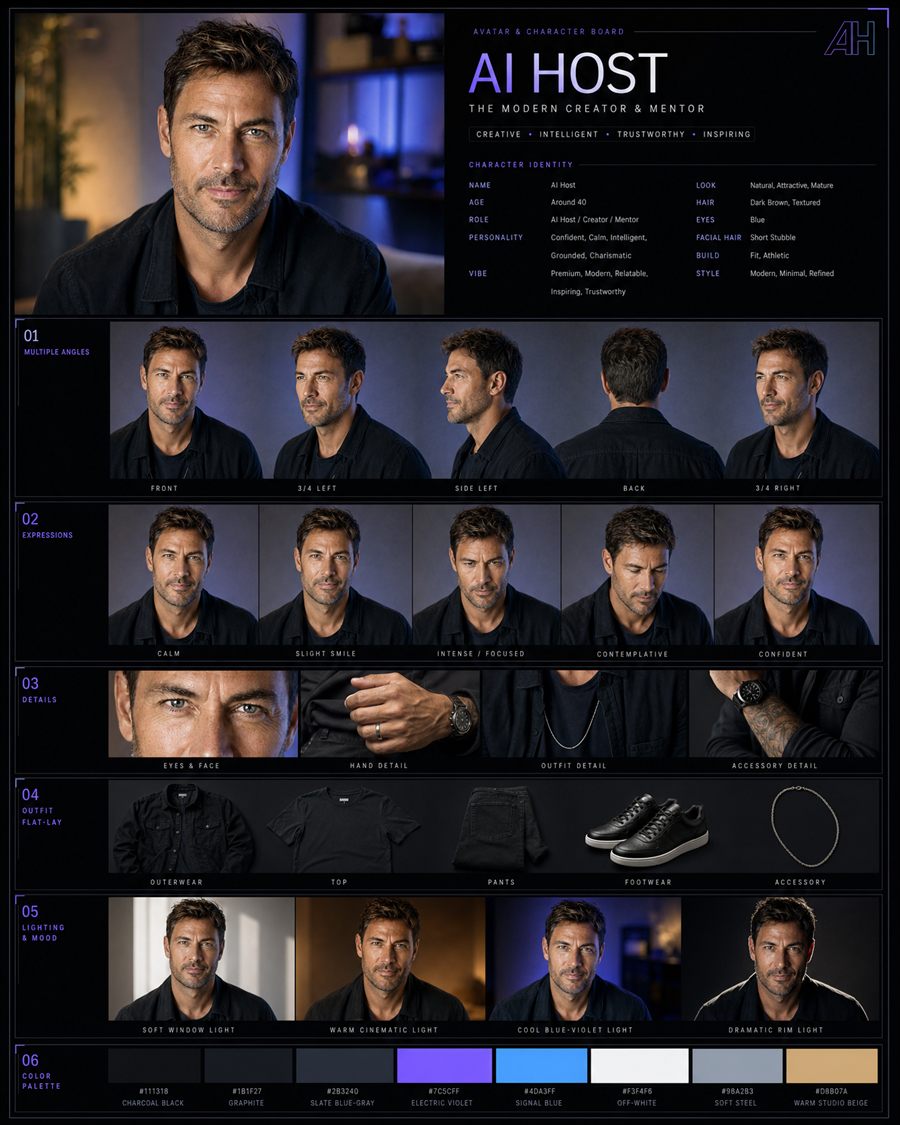
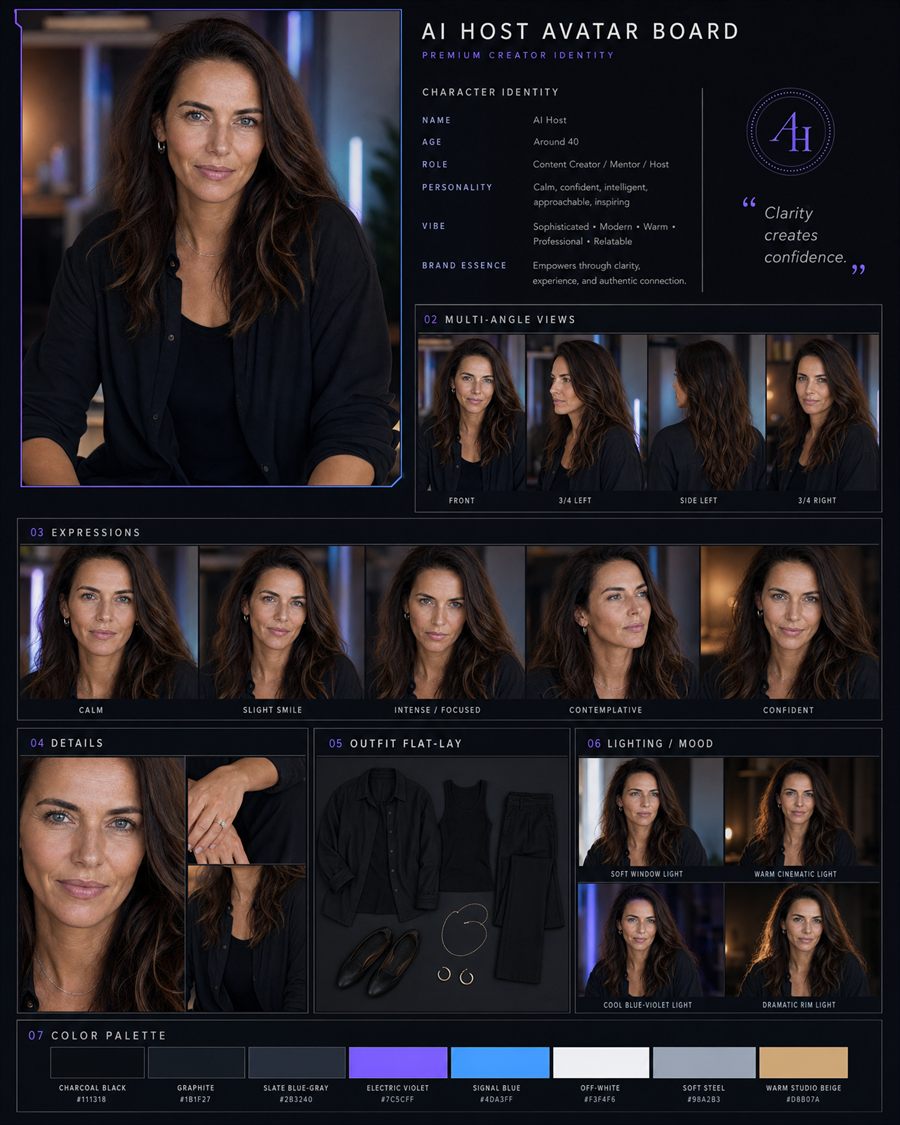
Le prompt qui génère cet avatar board Calé sur le jeune homme : utilise son portrait comme image de référence pour conserver exactement le même visage.
Create a premium "avatar board" / character board for the same ultra-realistic young male AI host from the reference image. The result should look like a high-end creative identity board, similar to a luxury editorial character sheet mixed with a premium brand deck for a social media creator. It must feel more premium, more creative, and more polished than a standard character sheet.

The board must preserve the exact same identity across all panels:
- same face
- same age range (young man around 24 years old)
- same hairstyle
- same eye color
- same skin tone
- same overall proportions
- same youthful, modern, stylish appearance

Character identity:
- ultra-realistic young man, around 24 years old
- current stylish "young creator" look
- attractive but natural face
- expressive dark grey-blue eyes
- short to medium dark brown hair, textured and slightly messy
- a few very subtle blonde highlights in the hair
- light stubble / subtle facial hair
- natural skin texture with pores and slight imperfections
- calm, confident, intelligent, approachable expression
- premium modern content creator vibe
- black or dark outfit
- clean contemporary casual style
- subtle accessory such as a silver chain, ring, or watch
- optional tasteful visible tattoos if consistent with the reference

Board layout:
Design a vertical premium board with a clean, luxurious, highly organized layout. The composition should feel like a top-tier creative presentation board, with visually distinct panels, elegant alignment, refined spacing, and a polished brand identity. Include the following sections:
1. Large hero portrait
2. Character identity text panel
3. Panel of multiple body angles / views: front, 3/4 left, side left, back, 3/4 right
4. Panel of facial expressions: calm, slight smile, intense / focused, contemplative, confident
5. Detail panel: close-up face / eyes, hand close-up, outfit detail
6. Outfit flat-lay panel: outerwear, top, pants, footwear, main accessory
7. Lighting / mood panel: soft window light, warm cinematic light, cool blue-violet night light, dramatic rim light
8. Color palette panel using the channel brand colors

Graphic art direction:
- more premium and creative than a basic character board
- elegant editorial tech aesthetic
- luxury creative direction
- modern brand deck feeling
- sophisticated, minimal, polished
- refined graphic framing
- clean premium panel borders
- subtle futuristic design language
- no cheap template feel
- no messy collage feel

Use this exact brand color palette for the board design:
- Charcoal Black #111318
- Graphite #1B1F27
- Slate Blue-Gray #2B3240
- Electric Violet #7C5CFF
- Signal Blue #4DA3FF
- Off-White #F3F4F6
- Soft Steel #98A2B3
- Warm Studio Beige #D8B07A

Color direction:
- dominant dark premium background
- typography mostly in off-white and soft steel
- subtle accents in electric violet and signal blue
- occasional warm beige for balance and premium contrast
- avoid yellow/orange dominant outlines
- use elegant blue-violet accent lines, subtle glow, and premium framing instead

Typography:
- clean, modern sans-serif
- premium editorial hierarchy
- visually sharp and readable
- minimal but strong
- titles, labels, and panel names should feel refined and high-end

Lighting and photography:
- ultra-realistic Sony A7 IV look
- premium portrait photography
- realistic depth of field
- natural skin texture
- crisp eyes
- realistic contrast and shadows
- polished but believable
- no CGI feel, no plastic skin, no over-beautified face

Important: This must look like a true premium avatar consistency board for future image and video generation. All panels must depict the same exact person with no identity drift. The whole board should feel highly premium, creative, cinematic, and brand-worthy.
Préparer un storyboard vidéo
Cette partie n'est pas nécessaire pour terminer la méthode avatar. Elle sert si tu veux transformer l'avatar board en séquence vidéo exploitable : intention, plans, mouvements, voix et points de contrôle.
Accroche face caméra
Portrait serré, regard caméra, phrase courte pour poser le sujet.
Variation de décor
Le même avatar dans un décor cohérent avec la marque ou le format.
Geste ou détail
Plan de coupe : main, accessoire, lumière ou expression secondaire.
Conclusion utile
Retour face caméra avec CTA, rappel ou phrase de fermeture.
Le prompt optionnel pour préparer le storyboard Colle la fiche personnage et décris le format cible : TikTok, Reels, Shorts, publicité ou vidéo pédagogique.
À partir de cette fiche personnage et de cet avatar board, prépare un storyboard vidéo court pour un avatar IA.

Contexte :
- Format : vidéo verticale 9:16
- Durée cible : 20 à 30 secondes
- Plateforme : TikTok, Reels ou YouTube Shorts
- Objectif : expliquer une idée simplement, avec un avatar crédible et cohérent
- Ton : clair, premium, humain, sans effet trop artificiel

Avatar :
[COLLER ICI LA FICHE PERSONNAGE ET LES DETAILS DE L'AVATAR BOARD]

Sujet de la vidéo :
[DECRIRE LE SUJET OU LE MESSAGE]

Produis :
1. Un hook en une phrase
2. Un storyboard de 4 à 6 plans
3. Pour chaque plan : cadrage, décor, expression, mouvement caméra, intention de voix
4. Les prompts image ou image-to-video nécessaires
5. Les points de contrôle pour vérifier que l'identité de l'avatar reste stable
6. Une version très courte du script voix off

Contraintes :
- conserver le même visage, le même âge apparent, la même tenue et la même ambiance
- éviter les gestes irréalistes, les mains trop visibles et les mouvements trop complexes
- prévoir des plans simples à générer dans un outil vidéo IA
- garder une narration claire, directe et exploitable au montage
Les outils à sortir de l'étagère
Les outils utilisés pour cette méthode. Tu peux les remplacer par tes équivalents habituels.
ChatGPT
texteÉcrire et adapter les prompts à ton personnage.
GPT Image 2
imageGénérer le portrait ultra-réaliste de référence.
OpenArt
imageGénérer l'avatar board et les déclinaisons cohérentes.
Higgsfield
vidéoAnimer l'avatar et produire les plans en vidéo IA.
Tu retrouves toute la sélection sur l' étagère d'outils.
À qui sert cette méthode ?
Créateurs de contenu
Formateurs
Entrepreneurs
Agences & freelances créatifs
Résultat final
À la fin de cette méthode, tu n'as pas juste une image : tu as un personnage cohérent et sa fiche d'identité, prêts à décliner en contenus.
- Un portrait IA clair et crédible
- Une identité visuelle cohérente
- Un avatar board pour verrouiller le visage
- Deux prompts principaux réutilisables
- Un prompt optionnel pour aller vers la vidéo
- Une base pour créer des vidéos IA et contenus sociaux
Questions fréquentes
Comment créer un avatar IA réaliste ?
Génère d'abord un portrait frontal avec un prompt photo détaillé : objectif 85mm, lumière cinématique, peau naturelle, regard net. Construis ensuite un avatar board pour figer l'identité et décliner le personnage sans le changer.
Quel outil utiliser pour créer un avatar IA ?
ChatGPT ou Claude pour adapter les prompts, GPT Image 2, Midjourney, Flux ou OpenArt pour générer le portrait et l'avatar board, puis Seedance, Kling, Veo ou Higgsfield pour l'animer.
Comment garder le même visage sur plusieurs images IA ?
Construis un avatar board de référence et réutilise-le dans chaque prompt : mêmes traits, même âge apparent, même style, même palette et même niveau de réalisme. C'est lui qui conserve l'identité d'une image à l'autre.
Qu'est-ce qu'un avatar board ?
C'est la fiche d'identité visuelle du personnage : un grand portrait, ses angles, ses expressions, des détails, sa tenue, ses ambiances lumière et sa palette. Elle sert de référence pour générer des images et vidéos cohérentes, sans dérive d'identité.
Peut-on utiliser un avatar IA pour des vidéos TikTok, Reels ou YouTube Shorts ?
Oui. À partir d'un portrait et d'un avatar board cohérents, ton avatar IA sert de base pour produire des vidéos TikTok, Instagram Reels et YouTube Shorts. Le storyboard est une extension utile si tu veux aller plus loin vers la production vidéo.